Vecinly: a SaaS for homeowners’ associations
Vecinly is the all-in-one platform for managing homeowners’ associations: incidents, bookings, accounting, polls, suppliers, tasks and communication. I built all of it and I run it: the API, the web app, the two mobile apps and the infrastructure. It is in production, with paying customers.
Visit vecinly.comThe live website, in 11 languagesIn numbers
01
Context
The problem
The people who suffer a community’s management are the president, who is not paid for it, and the property manager, who looks after dozens of communities at once. Incidents get lost in a WhatsApp group, the accounts live in a spreadsheet only its author understands, and nobody knows where anything stands without asking.
A product for that has to serve very different profiles (residents, presidents, property managers, suppliers and caretakers) without any of them seeing what is not theirs to see. And since it holds meeting minutes, fees and personal data of residents in 11 countries, security comes first.


What it does
Around 50 business domains, six of which carry a community’s day-to-day:
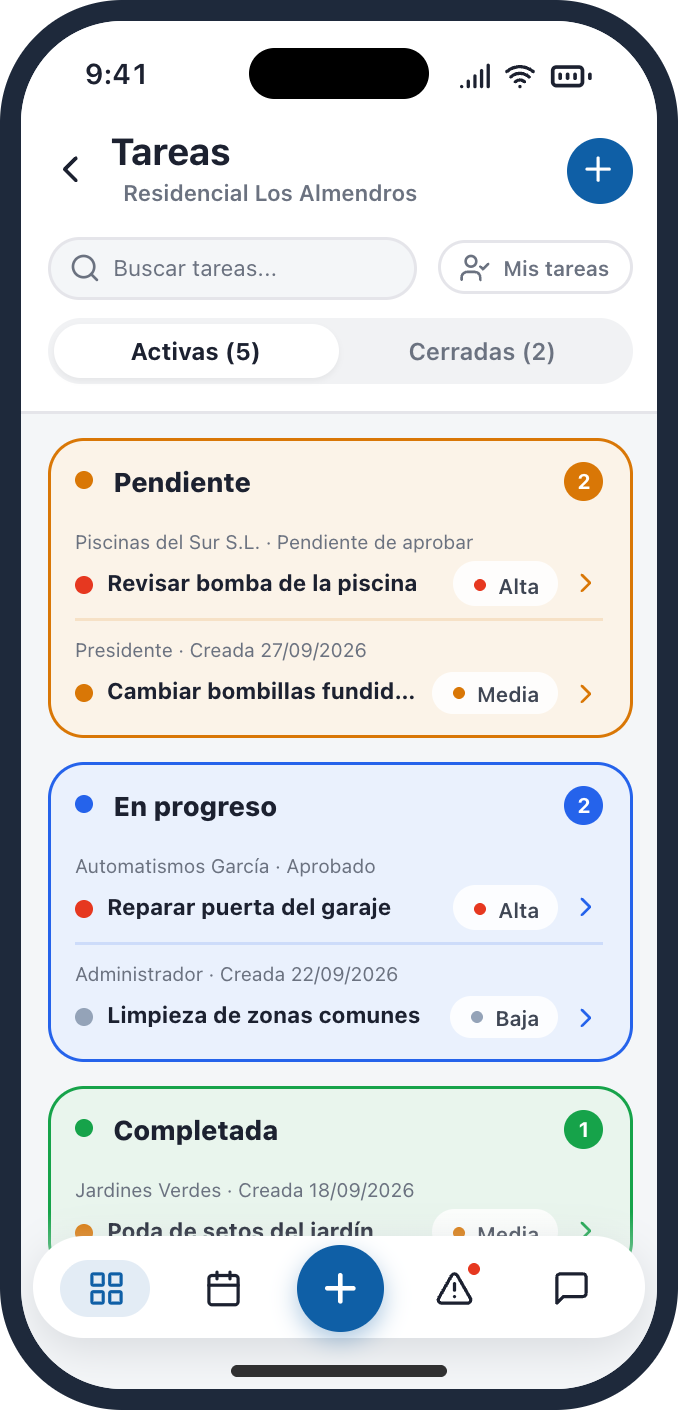
- IncidentsOn a board by status: opened, assigned and closed, and whoever reported it can see where it stands.
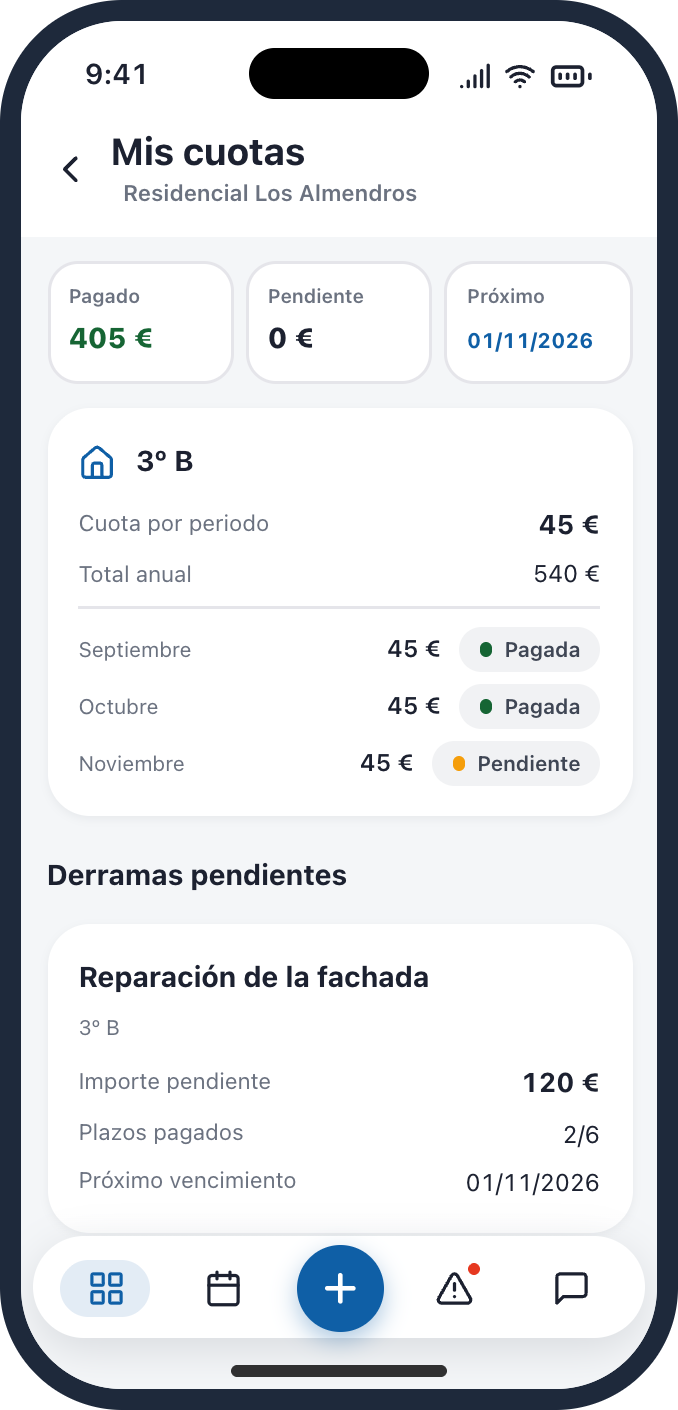
- AccountingTransactions with their budget lines and balance, instead of a spreadsheet.
- InvoicingThe community’s invoices, linked to the accounts and to recurring billing.
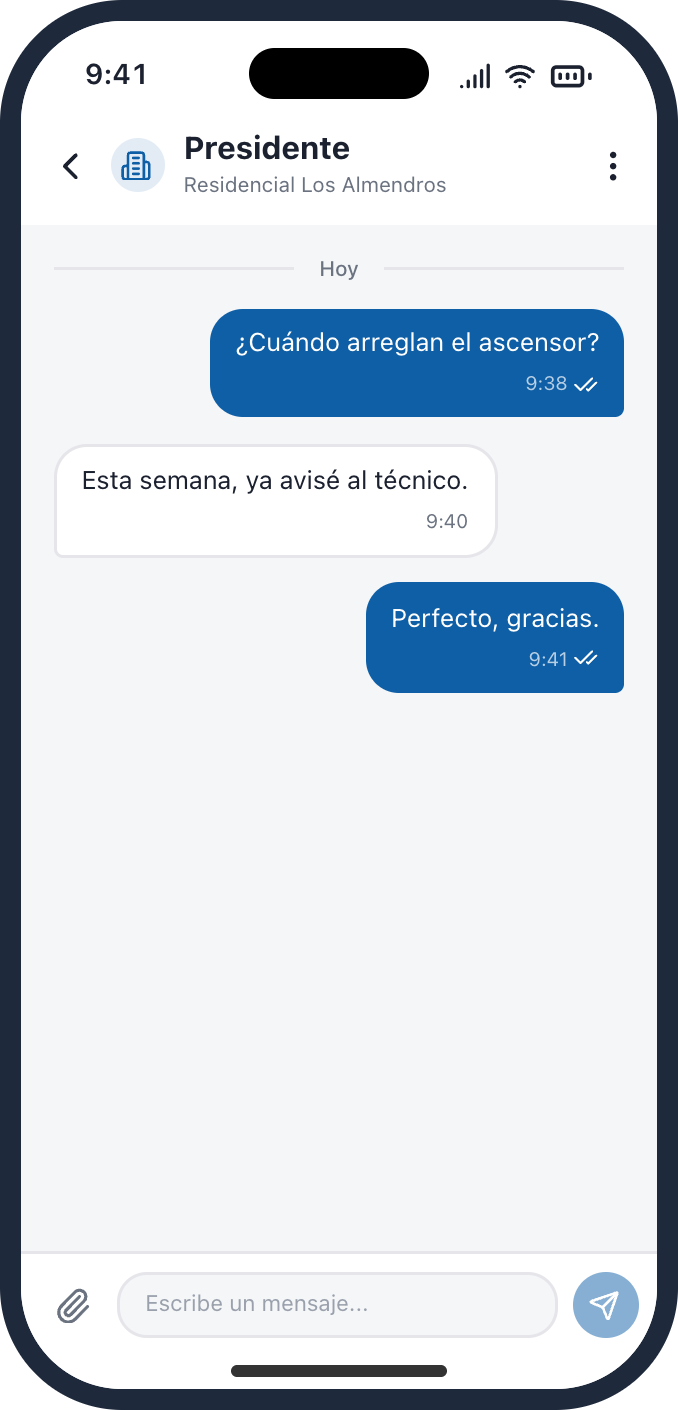
- ChatResidents, president, property manager and suppliers talk inside the product, in real time.
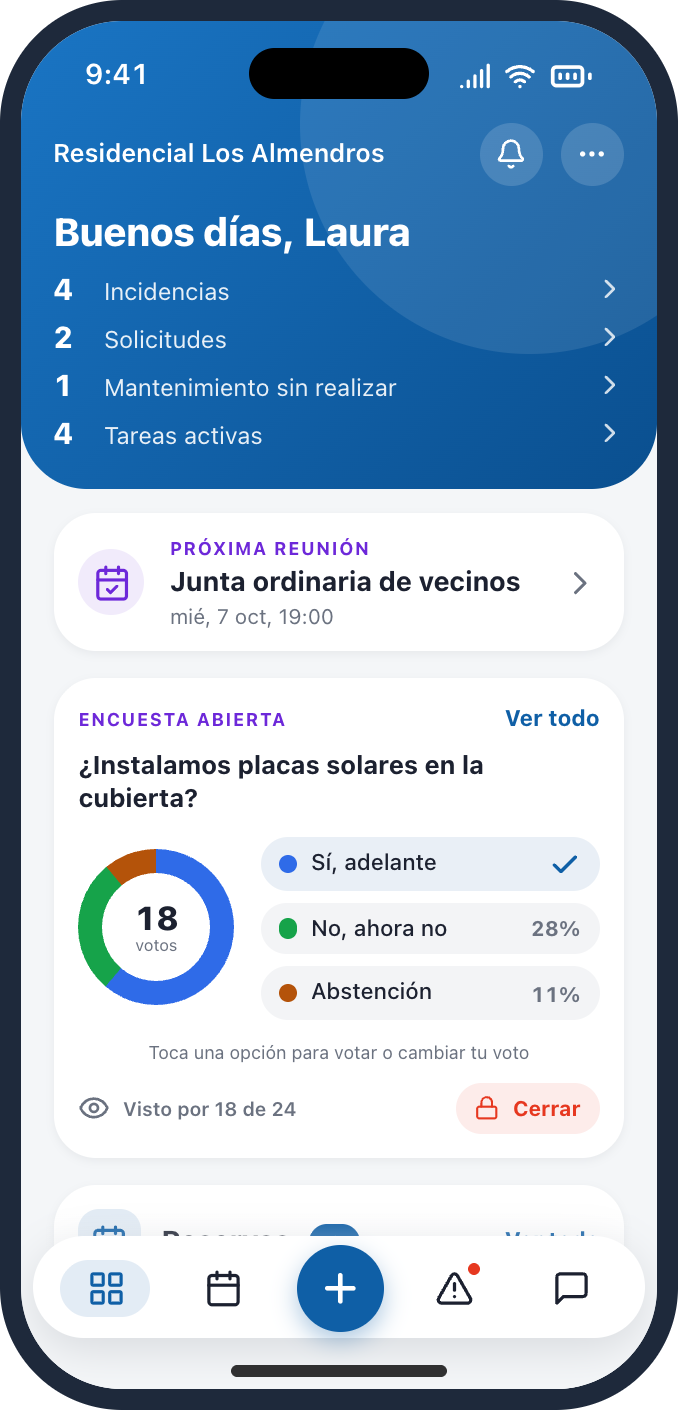
- Polls and meetingsOne-click polls, meeting notices and follow-up of the meetings.
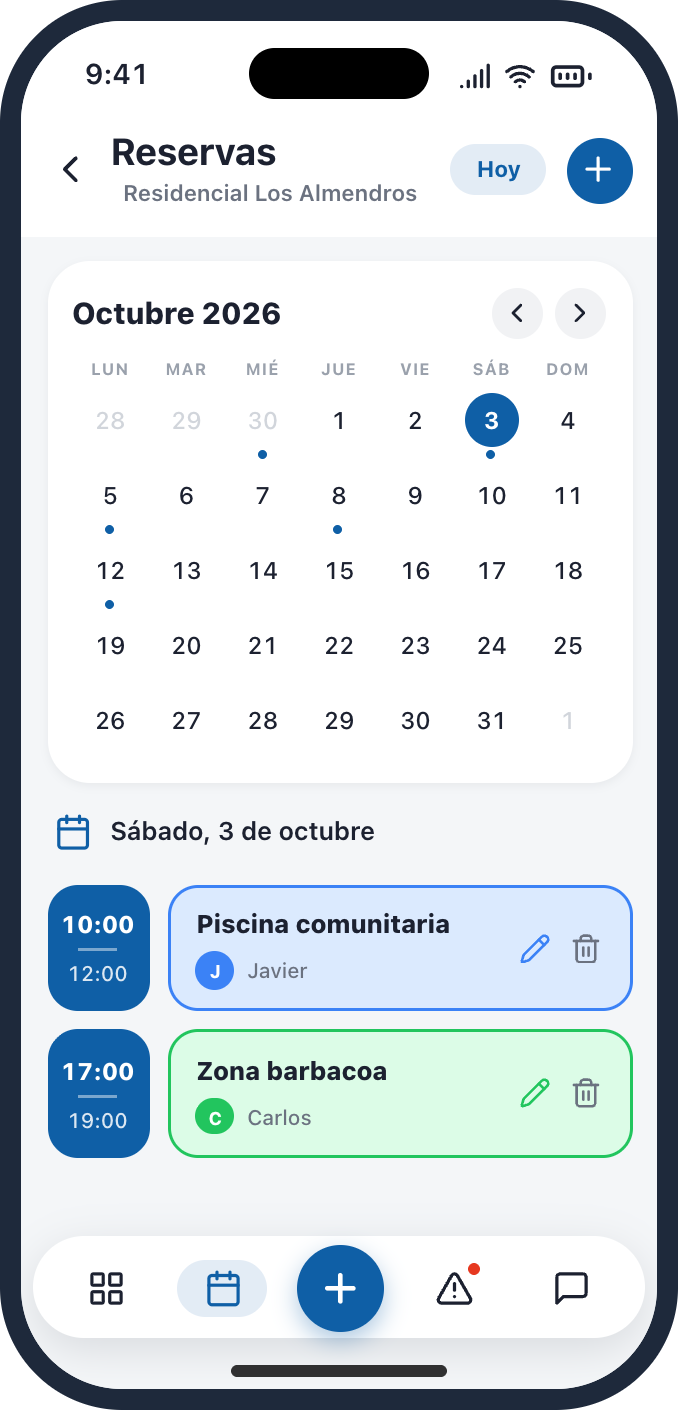
- BookingsThe court or the function room is booked from the app, with the calendar in plain sight for everyone.
02
Architecture
Three clients, a single API
The web app, the iOS app and the Android app talk to the same service. Business rules and permissions live in one place: a rule is written once and reaches all three clients, and the web and the apps cannot behave differently.
A hexagonal monolith, for this phase
In an MVP what matters is validating the idea: development should be fast, deploying should be simple and costs should stay low. A well-built monolith, with clear boundaries between domains, is a perfectly valid choice for that: one codebase, one deployment and no network between the pieces. Microservices are the best option when the situation calls for them, and at this stage they would have been a bad idea: a lot of complexity for a product that still had to prove anyone wanted it.
| Layer | What it holds | Rule |
|---|---|---|
| Domain | Entities and business rules (~230 models) | No Spring, no database |
| Use cases | The application’s actions (~590 in total) | Talk to the outside only through ports |
| Adapters | REST, WebSocket, PostgreSQL, Stripe, Holded, KMS | Implement the ports; can be swapped without touching the domain |
The price is discipline: the boundaries between domains depend on design and review, not on the network, and architecture tests keep watch over them. That discipline is also what makes the next step possible.
Next: towards microservices
The phase has changed. There are now three goals: gaining users, which will grow resource consumption and its cost; earning revenue, which will pay for better infrastructure; and extending the product with features that go beyond validating it. With those goals it is time to start moving towards microservices, and that is what I am planning.
Complexity and workload go up, but resource usage improves a lot, especially in a serverless environment. With a monolith, the whole application scales as one block even though most of what it does is rarely used. Split up, each piece gets its own policy: services used only now and then scale to zero and cost nothing while nobody uses them, and those that must always respond instantly, such as sign-in or chat, keep one instance running to avoid cold starts. Since every domain already talks to the rest through ports, splitting one off means swapping an adapter, not rewriting its logic.
The use cases, by area
Each use case answers a specific question from a specific profile: “report an incident”, “approve a supplier’s quote”, “call a meeting”. This is how they break down:
| Area | Main use cases | Operations |
|---|---|---|
| Community and onboarding | Create the community with a wizard, shape its entrances and units, import ownership shares, invite owners and tenants, assign a property manager | ~130 |
| Maintenance and suppliers | Report and track incidents, assign tasks, request work, receive and approve suppliers’ quotes and invoices | ~120 |
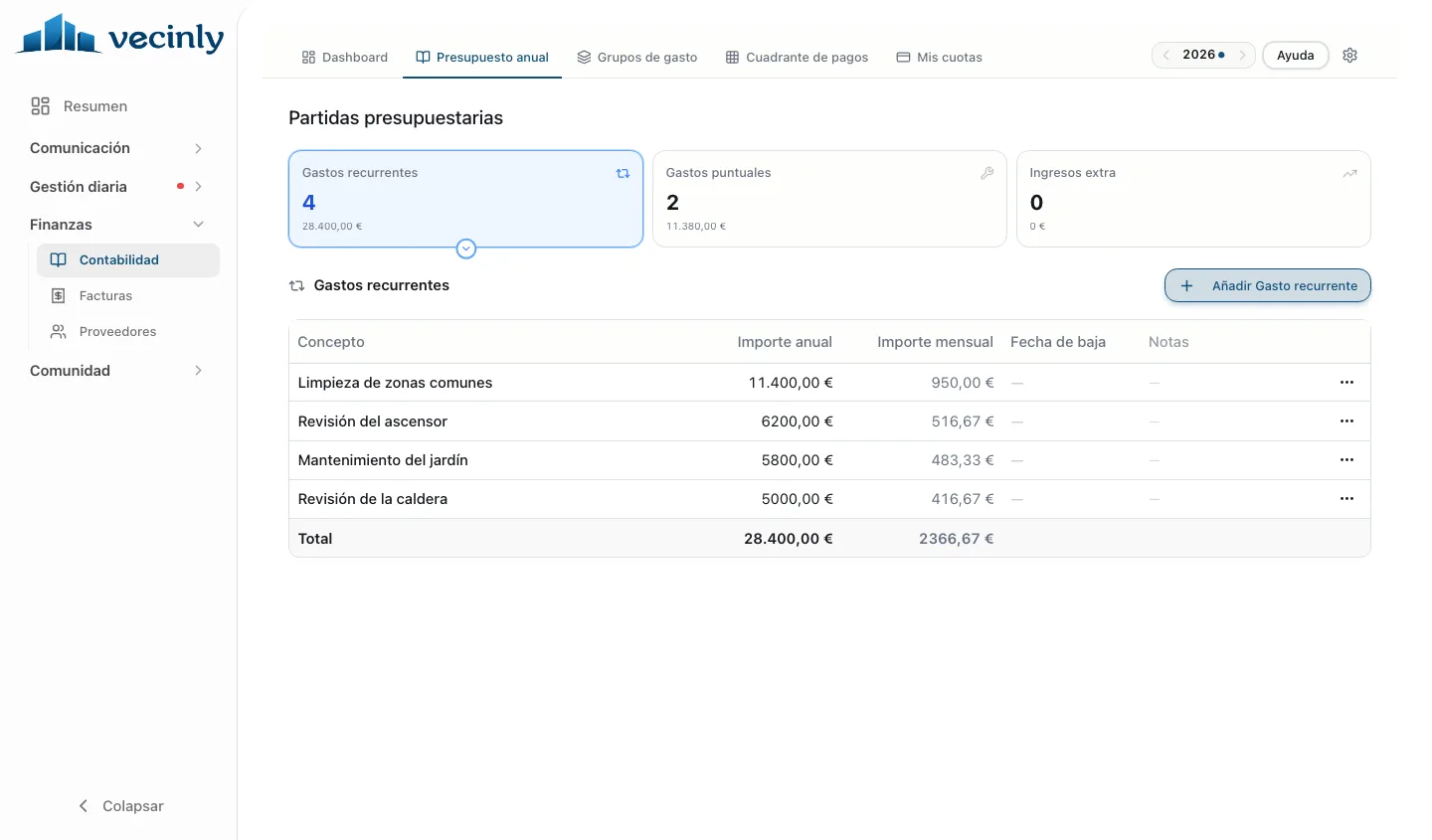
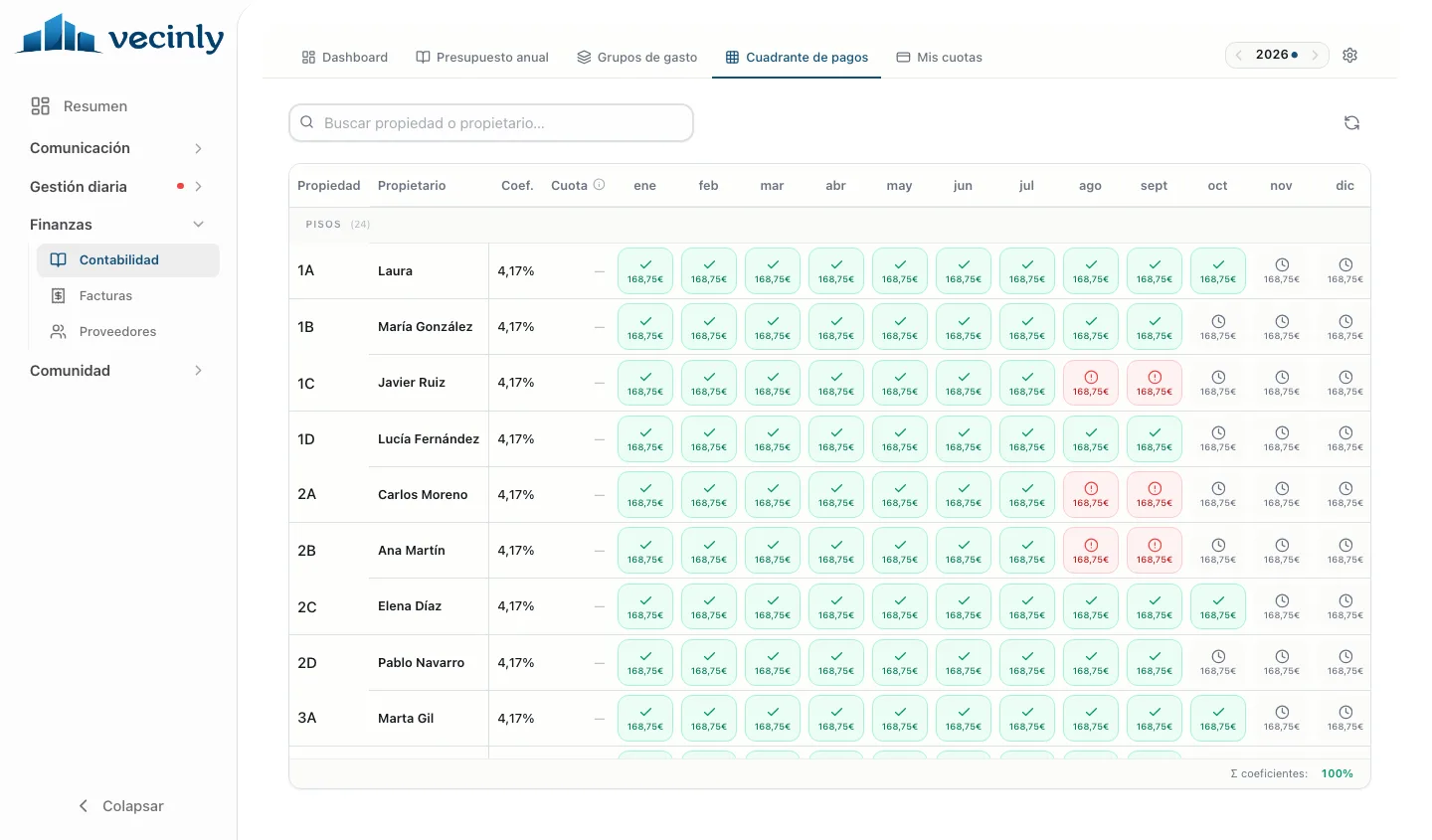
| Accounting | Annual budget, fees by ownership share, expense groups, transactions and balance | ~65 |
| Subscription and payments | Take out a plan, change or cancel it, charge and issue the invoice | ~55 |
| Communication | Chat, announcements, emergency notices and moderation | ~40 |
| Meetings and decisions | Call meetings, legally valid votes and polls | ~35 |
| Documents | Folders for the community and for each owner, legal documents | ~30 |
| Common areas | Bookings and parking spaces | ~20 |
| Caretakers | Onboarding, assignment to communities and their day-to-day | ~20 |
Approximate figures, counted in the code in October 2026. An operation is an API action; one use case can serve several.
They do not all need the same level of control, but the essential ones do: which profile can do what, with which data, and what happens next. Here are a few:
Two pieces, from the inside
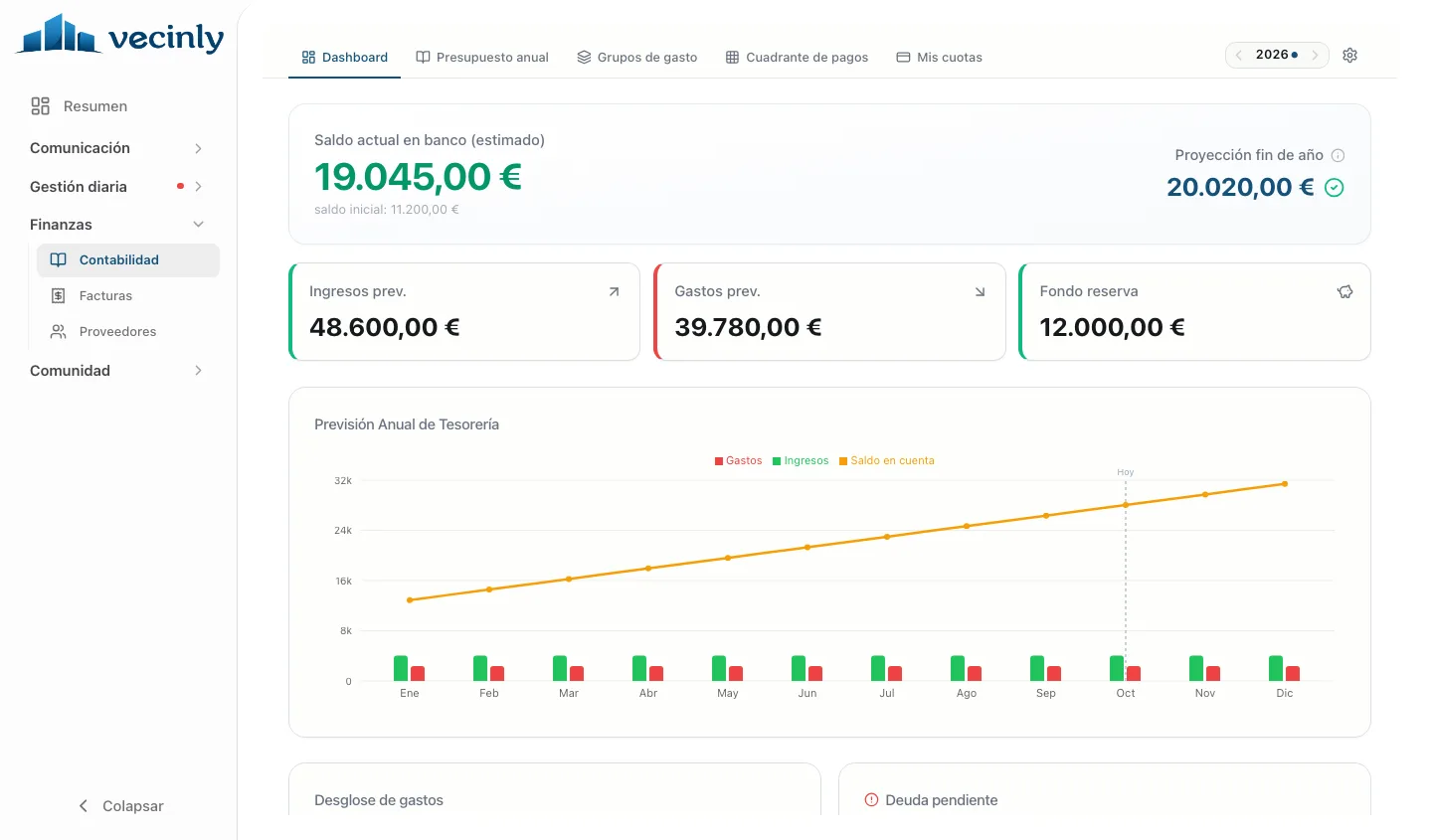
Behind every screen there are many use cases at once. Signing up a community is a flow that chains country, building type, details, structure and plan, and out of it come the units, the tier and the subscription. Accounting is a dashboard where the budget, fees by ownership share, expenses and each unit’s payments meet.
03
Isolating each community
One database for all, four layers of isolation
Hundreds of communities share a database, and a resident must never see anything from another one. A database or a schema per customer would multiply migrations and connections with every new community. So isolation is logical, per community, and rests on four layers:
| Layer | How |
|---|---|
| Authorisation | Every route declares which role and which plan allow it; anything that declares nothing is denied |
| Queries | Every query is scoped to one community, and the indexes are designed for that |
| Encryption | Practically everything is stored encrypted, with its community’s key |
| Real time | Subscriptions to the chat and to notices are denied by default |
One encryption key per community
Practically all information is encrypted, including what European regulations do not require to be encrypted: personal data, conversations, documents, accounts. Only what truly does not matter at all is left unencrypted. A master key that never leaves the KMS wraps the data keys, and each community has its own. The community’s identifier goes into the encryption as associated data: a ciphertext is useless in another community.
If the key does not arrive from the KMS, the application refuses to start: it fails closed. And to be able to search for an encrypted value without decrypting it, a cryptographic fingerprint (a blind index) is stored next to it: searches and uniqueness go through it.
The life of a request
Every request goes through several checks before it touches any data, and the community’s key is only loaded from the KMS when needed.
04
Payments
Stripe charges, Holded invoices
Vecinly charges subscriptions by number-of-units bands in several EU countries and has to issue legal invoices. Stripe takes the payment, with Stripe Tax. The application generates the invoice in Holded once the payment is confirmed, with the exact VAT Stripe charged, to comply with VeriFactu. Cards never go through my server.
Charging only once
Stripe retries its payment notices and may send them out of order. So when one arrives, its signature is the only thing checked, it is stored with a unique key and answered straight away; the real work happens separately, through a queue.
When it is processed, it is checked for having been processed already and marked as processed in the same transaction that applies the change, so that a failure halfway does not leave a payment halfway. And if the subscription stops being healthy, the community goes back to the free plan.
05
The app
One codebase, two apps
Residents and presidents need one app; property managers, suppliers and caretakers need a very different one. Both come from a single codebase in Expo and React Native: Vecinly and Vecinly Pro, on iOS and Android, with the same sign-in. The apps sell nothing, because of the stores’ rules: payment and creating communities happen on the web.


How notices get there
Anything that happens in a community can trigger a notice. The path is always the same: the API runs the use case and saves the change in the database; only once it is saved does it publish an event to a queue. That way whoever took the action does not wait for anything to be sent, and there is never a notice about something that was not recorded.
A consumer picks up the event separately, works out who in that community should hear about it and through which channel each of them prefers, and delivers it: a push notification through Firebase, an email, or instantly over the live channel if they have the app open. If something fails, the event stays in the queue and is retried.
06
Production
Deploying only from a tag
A wrong deployment affects communities’ real data. That is why production is only deployed from a tagged version, and the tests run against that very version. Rolling back means deploying the previous tag.
| What | How |
|---|---|
| Tests | ~4,680; the integration tests run against a real PostgreSQL in containers, never against a mocked database |
| Before deploying | The unit tests and the critical integration tests: money, subscriptions, permissions and accounting |
| Mutation testing | On subscriptions and the domain, with a minimum threshold that cannot be lowered without failing the build |
| Database | Outside the infrastructure as code: no infrastructure change can recreate it or delete it |
| Schema | Validated against the code at startup; if they do not match, the application does not start |
Migrations without downtime
Migrations are always idempotent, and expand and contract go in separate versions: first you add and backfill, and the constraint arrives in the next version, because a failing constraint blocks every later deployment.
07
Conclusions
- The architecture follows the phase. A monolith well divided on the inside was the right thing for validating the product; those same boundaries are what now let it be split into services when growth calls for it.
- Isolation without multiplying databases. Four layers and one key per community give real isolation without running hundreds of databases.
- Charging is an idempotency problem. The payment gateway does not prevent double charges: the unique key, the transaction and the sweeps do.
- Fail closed. No key, no start; no rule, denied; no healthy subscription, back to the free plan.